Your session, in text. The recording never leaves your phone.
A free iPhone app for therapists and counselors. It records a session after your client agrees, turns it into text on the phone with each line marked as you or your client, and deletes the recording. The text stays behind Face ID until you copy it, share it, or it deletes itself.
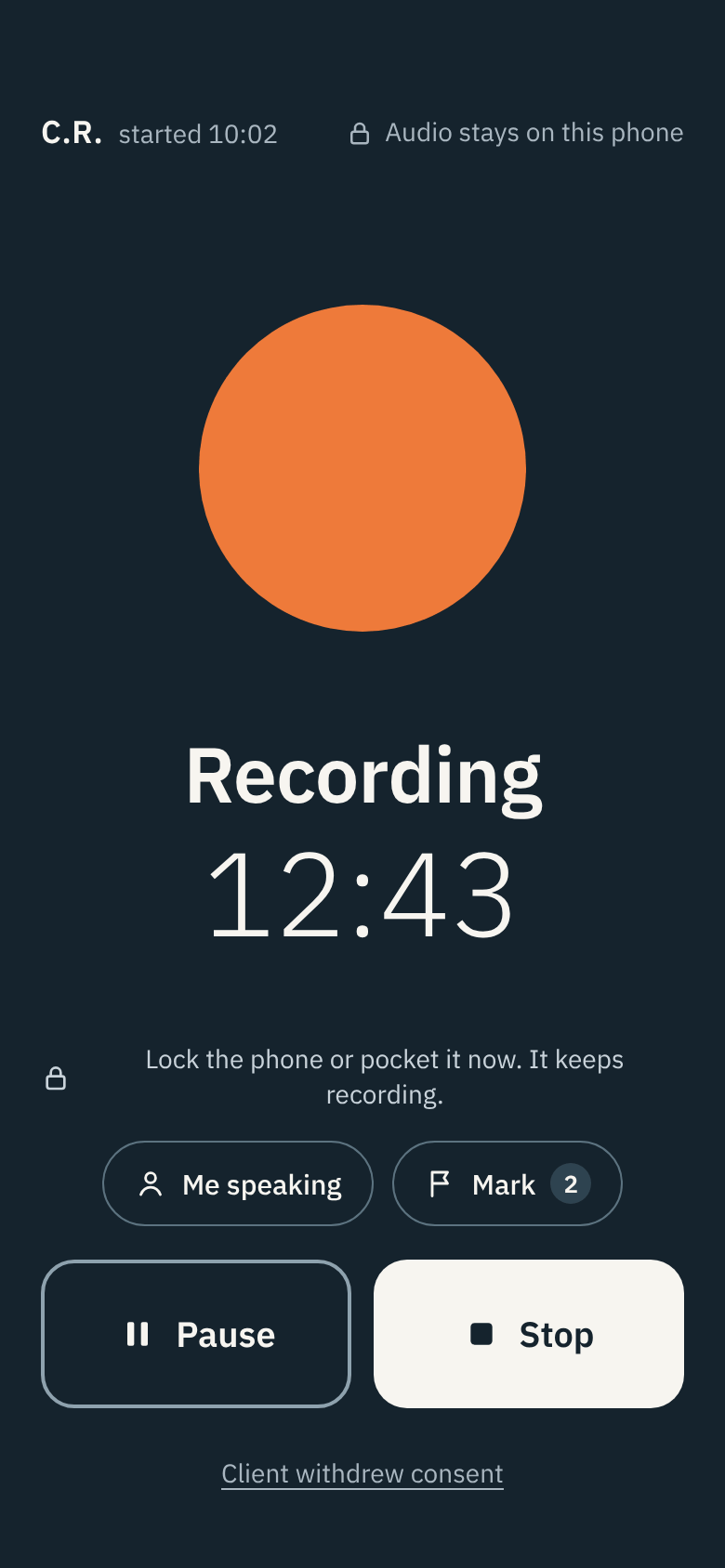
For therapists and counselors who want a session in text without handing a client's words to anyone.
Therapists and counselors · Psychologists · Clinical social workers · Solo and small practices
How it works
How a session goes
-
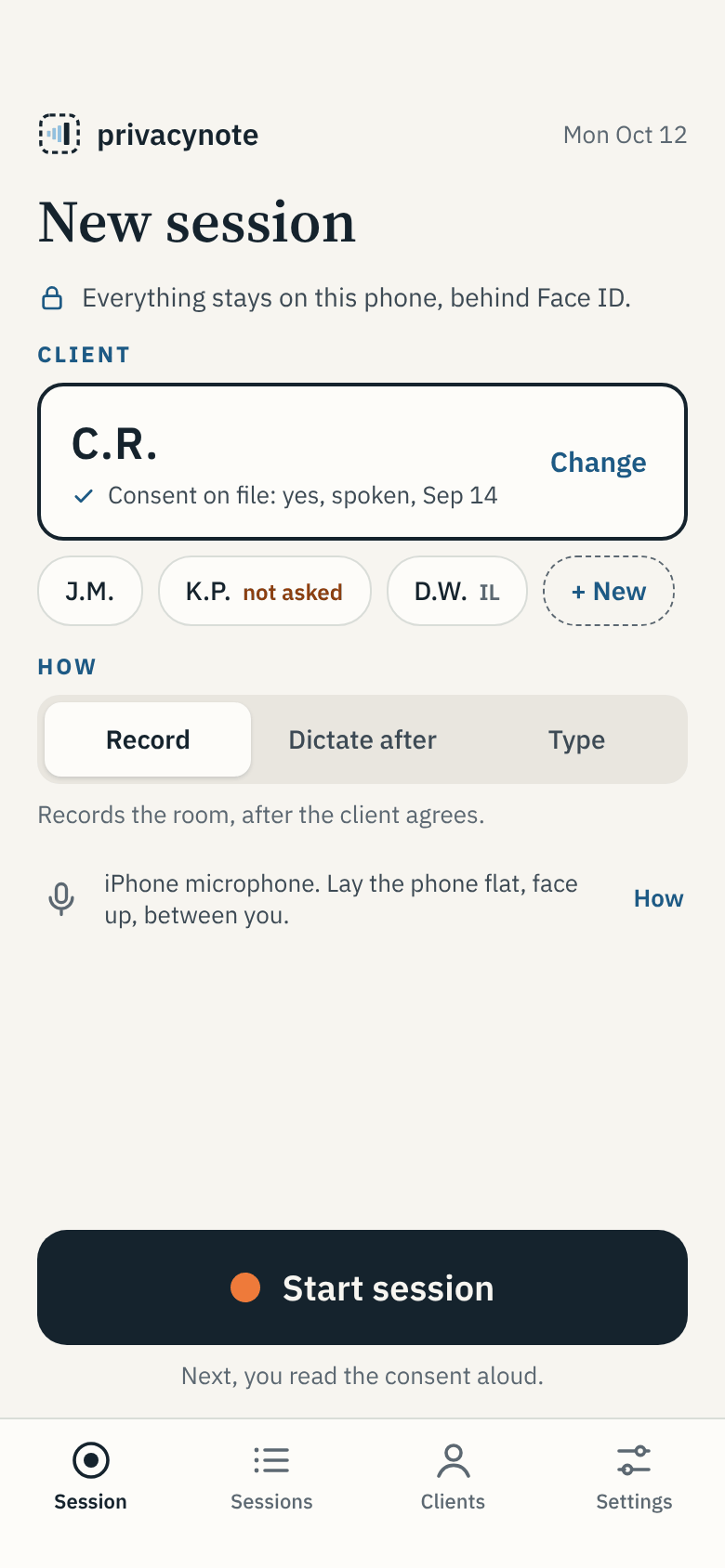 1 · Pick the client, tap Start
Choose the client by their initials. The app shows their consent on file, and warns you if they said no or were never asked.
-
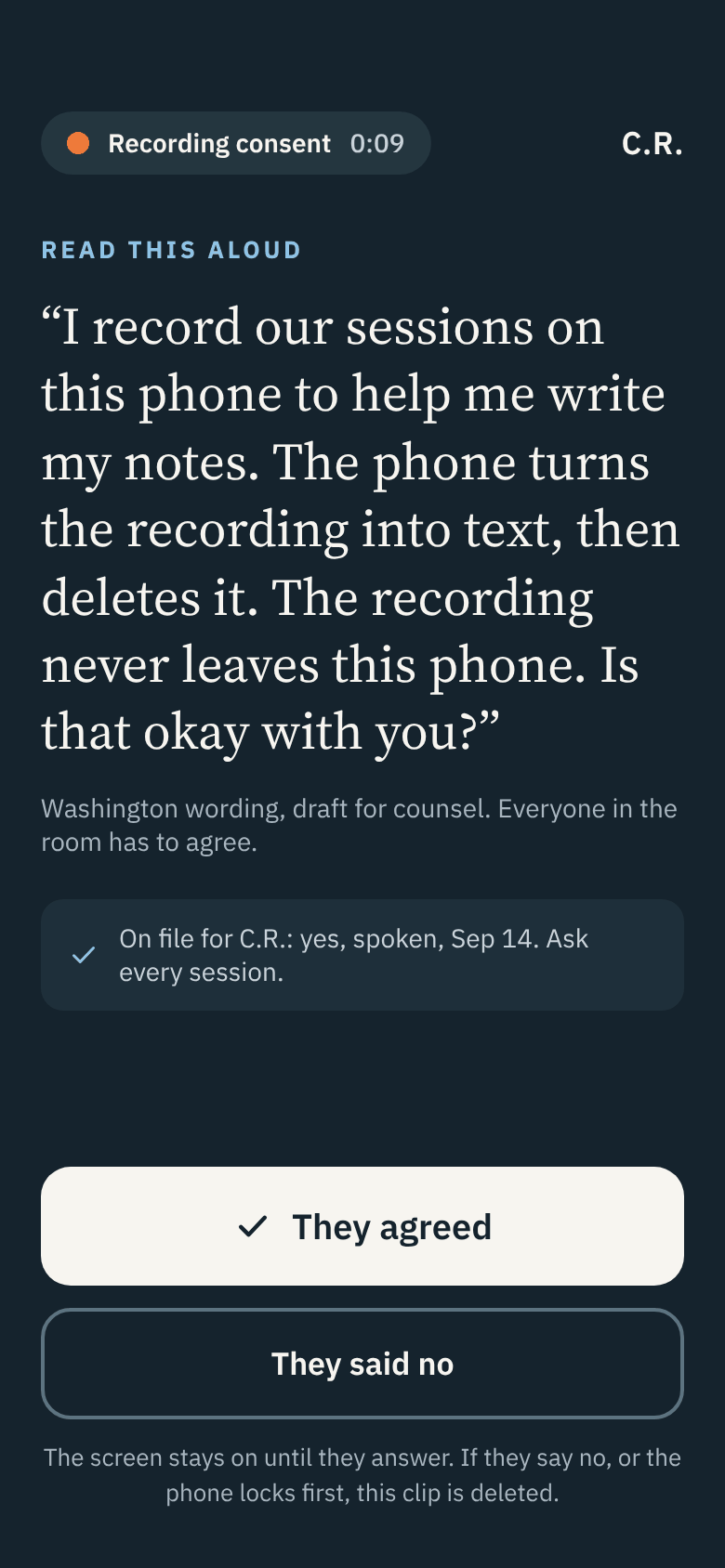 2 · Read the consent aloud
The screen stays on until your client answers. If they say no, or the phone locks first, nothing is kept.
-
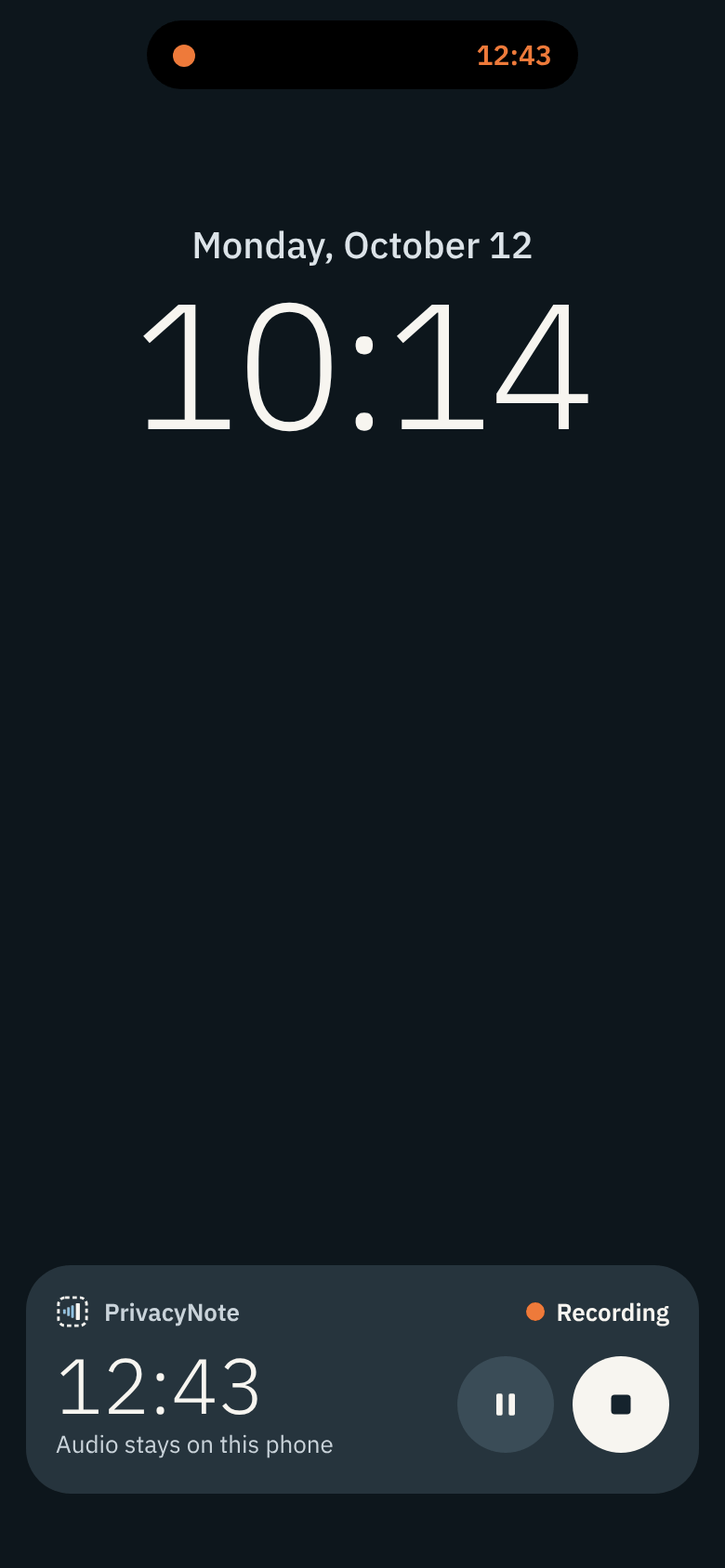 3 · Lock the phone. It keeps recording.
Pocket it or lay it flat. The Lock Screen shows only that it is recording, and for how long. If a phone call cuts in, recording starts again after it and the gap is marked.
-
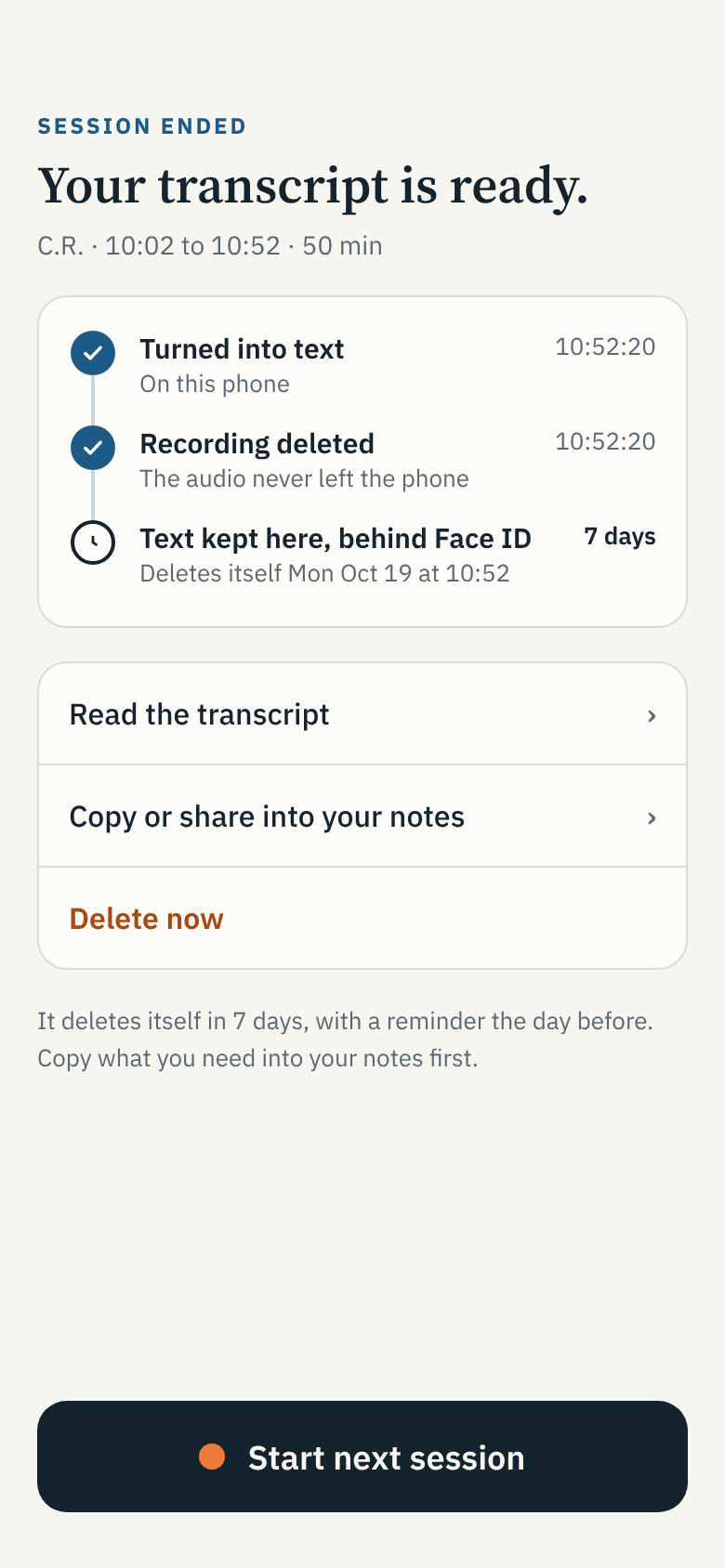 4 · Tap Stop, see who said what
The recording becomes text on the phone, and then the recording is deleted. Each line is marked as you or your client. Tap any line to fix it.
-
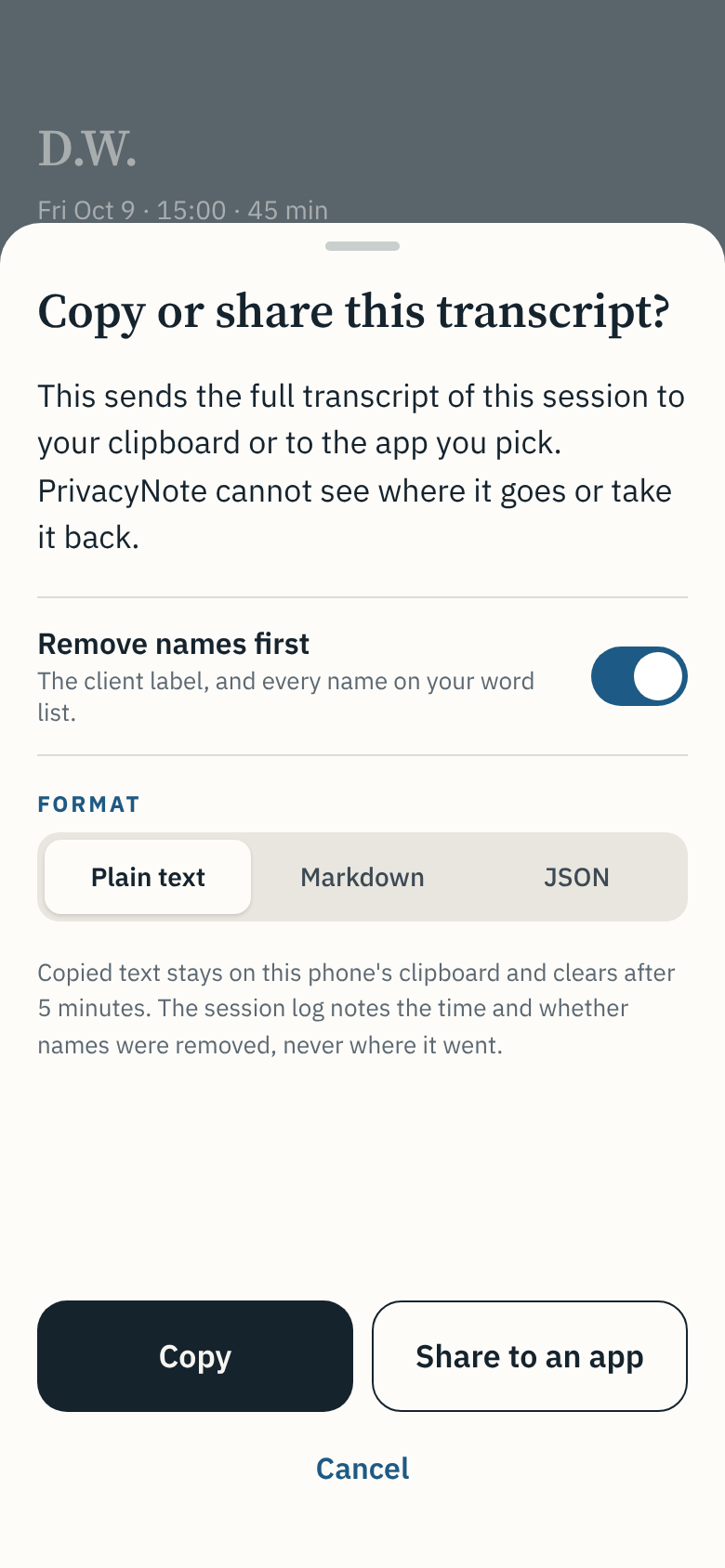 5 · Copy what you need into your notes
A warning comes first. Names are removed unless you turn that off. Copied text clears from the clipboard after 5 minutes.
Screens are design drafts.
Your phone
What stays on your phone, and when it is gone
| What | Where it lives | When it is gone |
|---|---|---|
| The recording | On the phone, encrypted, while you record | Deleted as soon as the text is ready. There is no setting to keep it, and nothing to play back. |
| The text | On the phone, behind Face ID or your passcode, every time you open the app | It deletes itself after 7 days, or the number you set, up to 30. A reminder comes the day before. Delete it sooner with one tap. |
| Who said what | Worked out fresh for each session, on the phone | Nothing about anyone's voice is kept, or compared between sessions. |
| Your consent list | Client initials and their answers, on the phone | When you delete the client. Export it as plain text whenever you like. |
| What you copy or share | Wherever you put it | Your choice, after a warning. The session log notes the time and whether names were removed, never where it went. |
| Us | Nowhere | No account, no key, no copy. We can't read anything, and we can't recover a lost phone. |
The difference
Compared with what you use today
| Question | A voice memo app | An app that uploads the recording | PrivacyNote |
|---|---|---|---|
| Where the recording goes | Kept on the phone, and in your online backup if sync is on | To the company's servers | Nowhere. It is deleted once it is text |
| Who said what | Not marked. One block of text | Depends on the app, worked out on its servers | Every line marked as you or your client, worked out on the phone. No voice is kept between sessions |
| Asks your client first | No | Depends on the app | Yes. The consent is the first thing recorded, every session |
| How long the text stays | Until you delete it | The company's policy decides | 7 days by default, up to 30. You choose |
| Before the text leaves your phone | No warning | It has already left | A warning first, with names removed by default |
| Price | Free | Usually a monthly subscription | Free. No limit on length or number of sessions |
When recording is not right
You still get a session in text
-
Your client says no
Nothing is kept but one line in the log. After the session, dictate a summary in your own voice, or type one. Same rules: the recording is deleted and the text deletes itself.
-
Phone and video sessions
The app records what it hears near the phone. It can't hear a call on a computer. For a video session, dictate a summary after it instead.
-
Any session you'd rather not record
Choose Dictate after or Type on the Start screen. Nothing is recorded during the session at all.
The iPhone beta
Try it before it is in the App Store.
The app is free. Join the beta and we will email you an invite when it opens. In return, tell us what broke, a few minutes a week. Counts only, never content.
Never send a screenshot of a session. Tell us what broke in words.
Coming next
PrivacyNote for Mac

Who is building it
Vishnu Vettrivel
By day an engineering director at a large software company, where he led its ISO 42001 certification, the international standard for managing AI responsibly. In the evenings a doctoral researcher on evidence for regulated AI.
PrivacyNote is built the way a medical device is built: a written list of what could go wrong, a test for each, the results, and a clinician's review, published before the first release.
Questions
Plain answers
- Which iPhones?
- An iPhone XS or newer, on iOS 18 or later. The XR and the SE (2nd generation) are still being tested. If they can't run the speech model, they will still take typed summaries.
- Does it need the internet or an account?
- No account. The app is built with no code that connects to the internet, so it works with no signal and no Wi-Fi.
- What if I lose my phone?
- We hold no account and no key. If the phone and its passcode are both lost, the transcripts on it are gone. Nobody can get them back, including us. Anything you already copied into your notes is wherever you put it.
- Can two of us share one phone?
- No. One clinician per phone. An iPhone has no separate user accounts, so a shared phone would mix two clinicians' sessions.
- Can I use it with a chatbot?
- You can copy the text anywhere. The app warns you first, removes names by default, and can't see where the text goes. Check that the service is covered by a business associate agreement (BAA) before you paste a session into it.
- Couples and groups?
- Not supported in v1. The app labels two voices only, and a couples session has three people.
- What languages?
- English only in v1.
- Does it write my note?
- No. It gives you the session in text, marked line by line as you or your client. You write your note from it, or copy what you need.
- How long does the text stay?
- 7 days by default. You can set up to 30. A reminder comes the day before, and it never names the client or shows any text. The recording itself is deleted as soon as the text is ready.
- Is it free?
- Yes. No account, no subscription, no limit on length or number of sessions. The Mac app, when it ships, is a separate paid app. The iPhone app stays free with or without it.
- Does it make a diagnosis?
- No. It writes down what was said. It makes no diagnosis, suggests no codes, and recommends no treatment.